
How to get your data back if something goes wrong
On Loisium a copy of your data is already there: one every day and one more before each new version goes live, with nothing for you to set up. Open Backups and put back the one from before things went wrong.
Lois looks after the copies, and tests each one. Putting your data back is the one thing Lois leaves to you, because only you know what you meant to keep.
Work out what went wrong first
The right button depends on how much you lost.
- One wrong value
- Open Database, find the row, and undo the change there. You don't need a backup for this.
- A lot of rows gone by mistake
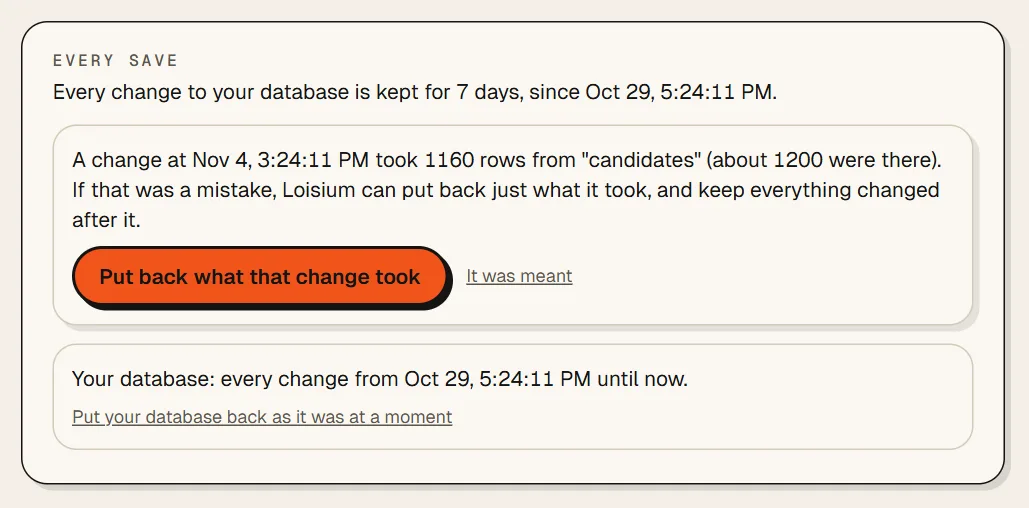
- Look on Backups, under Every save. If Loisium saw a big change, it says something like A change took 1160 rows from candidates, and offers Put back what that change took. Everything changed after that stays.
- The whole database, as it was at a moment
- Also under Every save: Put your database back as it was at a moment. It goes back up to 7 days.
- Your software's files, a MySQL database or a Redis
- Pick a copy from the list and press Put this copy back.
Putting a copy back
- Open your software in Loisium and press Backups in the menu.
- Find the copy from before the problem. Each one has its date and time.
- Press Put this copy back. Loisium tells you what will go back, and to when.
- Type your software's name to confirm, and press Put this copy back again.
Anything saved since that copy is gone. But Loisium keeps a copy of today's data first, so you can come back if you picked the wrong one.
How do I know a copy works?
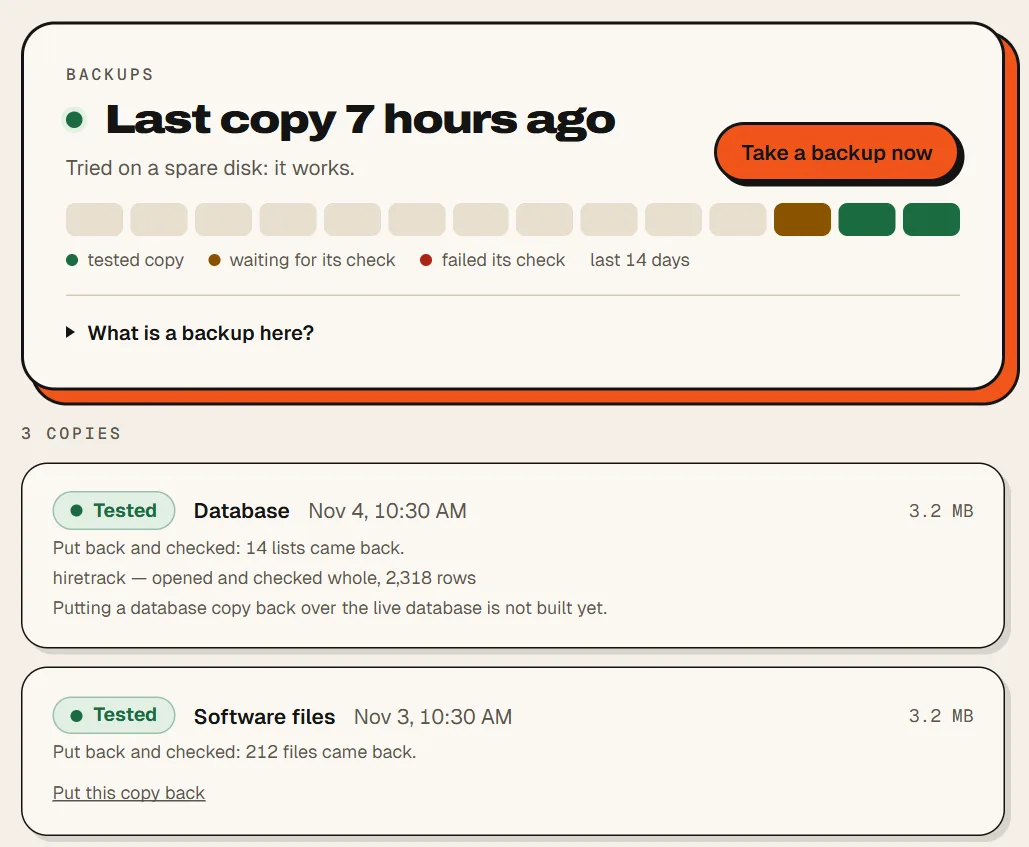
Each one is put back on a spare disk and checked, without you doing anything. If that worked, it says Tested. If you're about to do something risky, you can also press Take a backup now.
What's kept, and for how long
The last 7 copies of each kind, so about a week. Every save, for 7 days. Older than that is gone.
A daily database copy from Postgres can't be put over the live database yet. The screen says so, and Every save is the way back for that.
It's a beta, so keep your own copy of anything you can't lose. Every table in your database comes out as a spreadsheet, and you can download your code from Deploys and versions.
Deleted the whole software by mistake? You have 5 days to bring it back.

Next
Checked against Loisium on 4 November 2026.